
Public Broadcast Recordings
- Availability: Some models offer the option to purchase recordings of their public broadcasts. These recordings can range from 5 to 30 minutes.
How to Start a Public Recording:
- Tap the icon on the stream player that looks like a camera with a red dot to pull up public recording options.
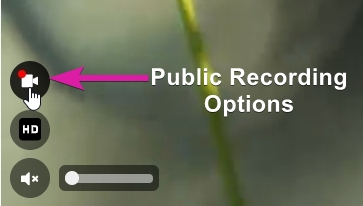
Additionally:
- On Mobile: Access the feature through the left menu button that looks like a grid of boxes.
- On Desktop: Look for a "Start Recording" button below the broadcast window.
- Alternatively, use the search term "public recordings" to find models who have this feature enabled.
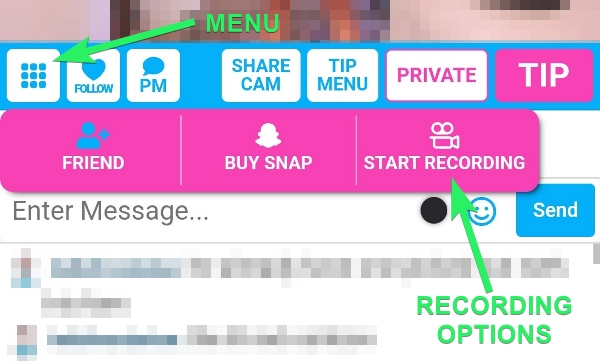
Further Details and Info:
- Pricing and Duration: The cost per minute and available recording lengths will be displayed. Prices are set by the individual model.
- Initiating a Recording: Recordings begin once tokens are tipped. You can find your purchased recordings in your purchased media section.
- Refunds: If a broadcast ends before the selected time frame, the difference will be returned to you.
- Extend a Recording: If you'd like to have a longer public recording, tap the Extend button for the available options.
