
What are Private Shows?
Private shows are one-on-one video chats between a model and a member, offering a more intimate experience, without interruption from other viewers. Tokens are collected from users every 10 seconds based on your per-minute rate. If you have a minimum duration set, you will receive tokens for the full amount of the minimum duration, and then receive tokens every 10 seconds thereafter.
To Update Your Private Show Settings:
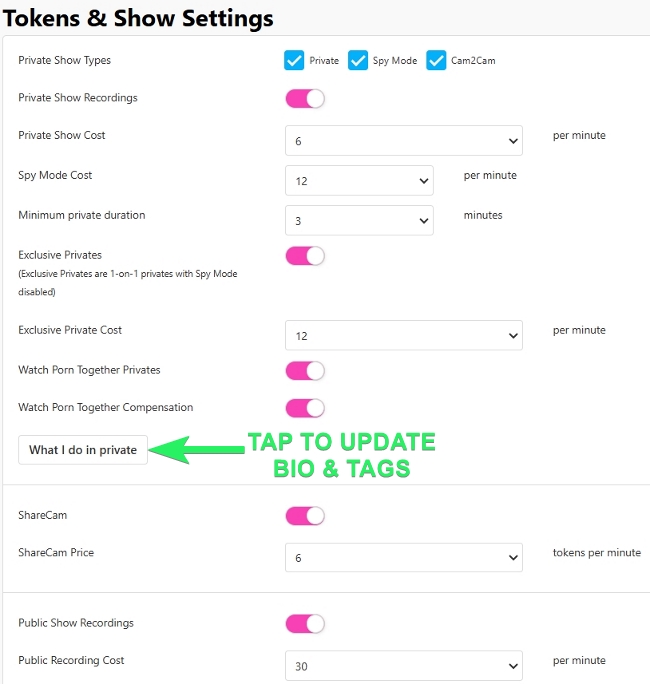
- Navigate to Settings & Privacy and locate the Tokens & Show Settings section
- Enable or disable private shows, private show recordings, spy mode, Cam2Cam, exclusive private shows, and Watch Porn Together.
- Set the token cost for each show type from their related dropdown menus.
- Specify a minimum duration for your sessions (this minimum can also be set to 0 representing "no minimum duration").
- Scroll to tap Save and you're ready to go!
- To add more information about what users can expect in your show, tap What I do in private.
How do Private Shows start?
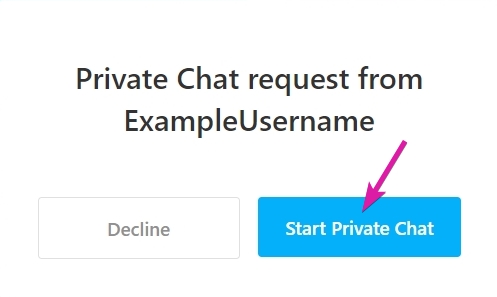
When offered a private show, you'll receive a notification to Start Private Chat or decline, and begins when accepted.
How do Private Shows end?
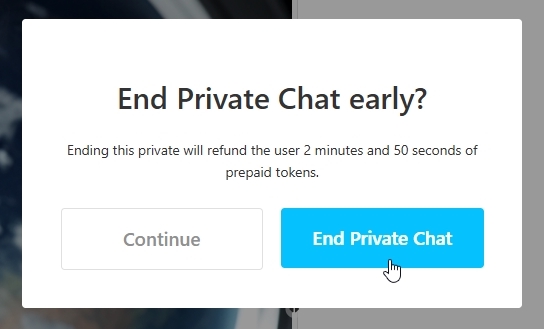
Either the model or the member can end the private show at any time by clicking the End Private button on the bottom of the stream window. Private shows will end automatically if the user runs out of tokens.
If a minimum duration has been set:
- When a model elects to end a minimum duration show early, you will be informed of remaining time and that the user will be refunded the balance.
- When a member elects to end a minimum duration show early, they will not be refunded.
How can I monitor my show statistics?
Show statistics are visible in the panel below the broadcast window on desktop or by clicking the chat bubble icon on mobile. For a more in-depth break down of your earnings, visit your Tokens & Earnings page.
Advanced Private Show Features
Enabling Private Show Recordings
It's entirely your choice to allow recordings of Private shows. The member receives a recording in their media collection to watch any time, and is included in the cost of your session. Toggle on this setting prior to receiving a Private show request.
Cam2Cam in Private Shows
Cam2Cam is similar to public share cam, but happens privately and allows full video and audio chat for you to see and hear the user during the show at no extra cost. It is included in the private show rate.
Spy Shows
With this setting activated, additional viewers can pay to watch your Private show without being allowed to interact. To activate, navigate to Tokens & Show Settings, check the Spy Mode box and set the cost per minute, then save the changes.
How will I know if someone is spying on my show?
A specific token counter for Spy Shows increases in real time on your model interface below your broadcast window.
Can users easily find models who offer Spy Shows?
Yes, models offering Spy Shows are listed under the Private Show tag on the homepage and it will say IN PRIVATE - SPY ON ME on your room's thumbnail.
Exclusive Private Shows
Exclusive Private shows are similar to private shows but with spy mode disabled, for a true one-on-one session. These shows often have a higher token rate than a normal private show.
Is there a rating system for Private Shows?
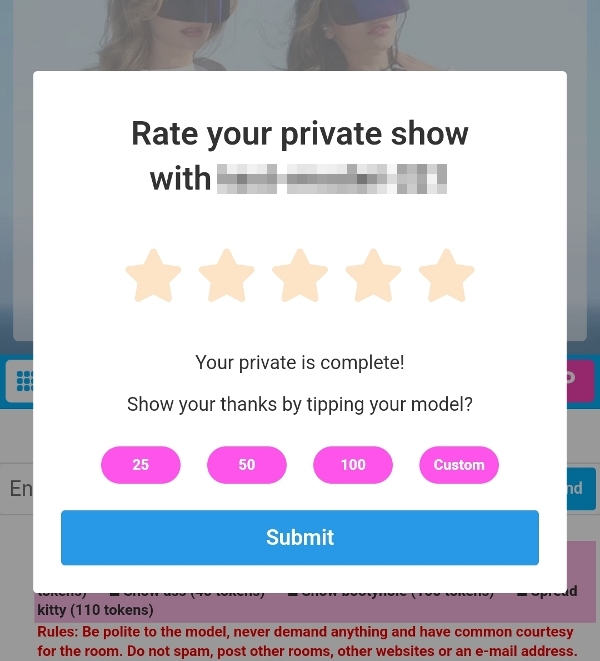
Yes, viewers are prompted to rate the show from one to five stars and have the option to send an additional tip once the show has concluded.
Can you provide more information about Private Show Specials?
Models can offer discounted rates for private shows to attract members. Private Specials will be advertised to users not only in your room, but under the Private Specials tab and the feed for users who aren't in your room yet.
- This special rate remains valid for the entire private session, even if the discount period expires.
- To activate a special discount, click Create a Private Special in the settings on your stream page.
- Choose your discount rate (25 to 75%), set how long the offer runs (15 minutes up to 4 hours), and a minimum time a buyer has to purchase (5 to 25 minutes).
- Upload a photo or directly record a clip from your stream for the display card.
- Tap "Start Special" to initiate and that's it!
The activated discount appears in a bar on your in-room chat window.
You can stop the discount anytime by tapping the Stop Private Special button. On mobile, use the 3-button menu in the bottom right to manage discounts.